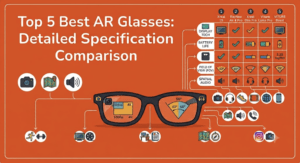
If you’re looking to buy high-tech eyewear, the market is currently split into two completely different categories: Camera Smart Glasses (often called AI glasses) and AR Display Glasses.
The core difference comes down to one thing: whether or not the glasses put a visual display in front of your eyes.
1. Camera Smart Glasses (Audio & AI)
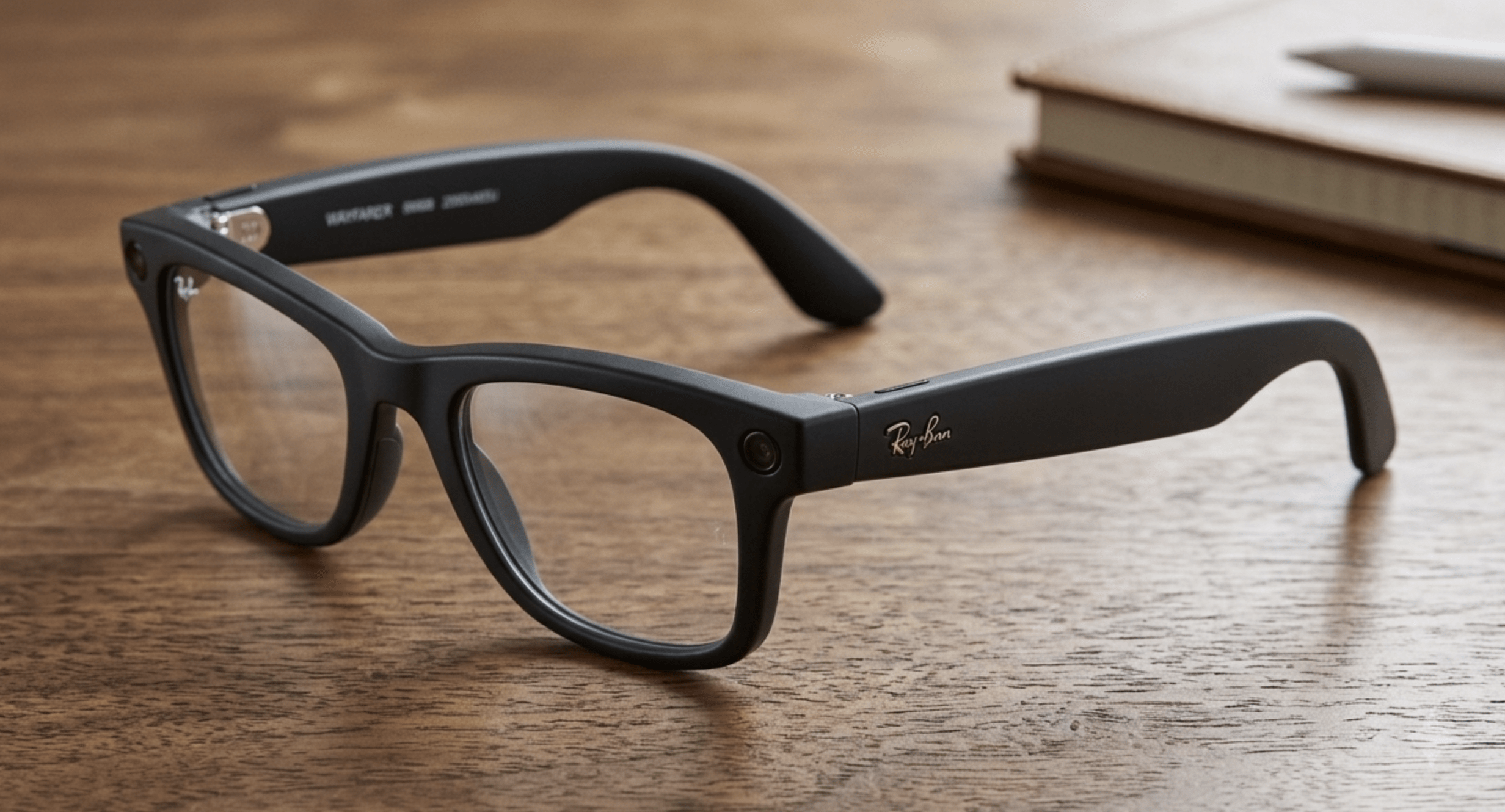 CameraShoots photos and video from exactly where your eyes are pointed — by voice or a tap, no phone in your hand.
Capture lightAn LED tells people nearby that the camera is rolling. It is the social contract that makes these wearable in public.
Touch surfaceSwipe the temple for volume, tap to answer a call, hold to start a clip.
Open-ear speakerFires sound down toward your ear without plugging it, so you still hear traffic and the people around you.
Just a lensNothing is projected here. Prescription or sun, it is ordinary glass — which is the whole point.
CameraShoots photos and video from exactly where your eyes are pointed — by voice or a tap, no phone in your hand.
Capture lightAn LED tells people nearby that the camera is rolling. It is the social contract that makes these wearable in public.
Touch surfaceSwipe the temple for volume, tap to answer a call, hold to start a clip.
Open-ear speakerFires sound down toward your ear without plugging it, so you still hear traffic and the people around you.
Just a lensNothing is projected here. Prescription or sun, it is ordinary glass — which is the whole point.
Tap the markers
These glasses look almost identical to regular sunglasses or prescription frames. They do not have screens. Instead, they act as a wearable extension of your phone’s microphone, camera, and speakers.
How they work:
They feature tiny, built-in speakers in the arms (using open-ear audio) and a camera embedded in the frame. You interact with them entirely via voice commands, a companion app, or physical taps on the frame.
Core Features:
- Point-of-view capture: Record video or take photos of exactly what you are looking at.
- AI Assistants: Ask questions (e.g., Meta AI) and get audio responses.
- Audio playback: Listen to music or take phone calls without earbuds.
- Prime Example: Meta Ray-Ban Smart Glasses.
Best for: People who want to capture hands-free video, listen to podcasts while staying aware of their surroundings, and use voice AI in a form factor that looks totally normal.
2. AR Display Glasses
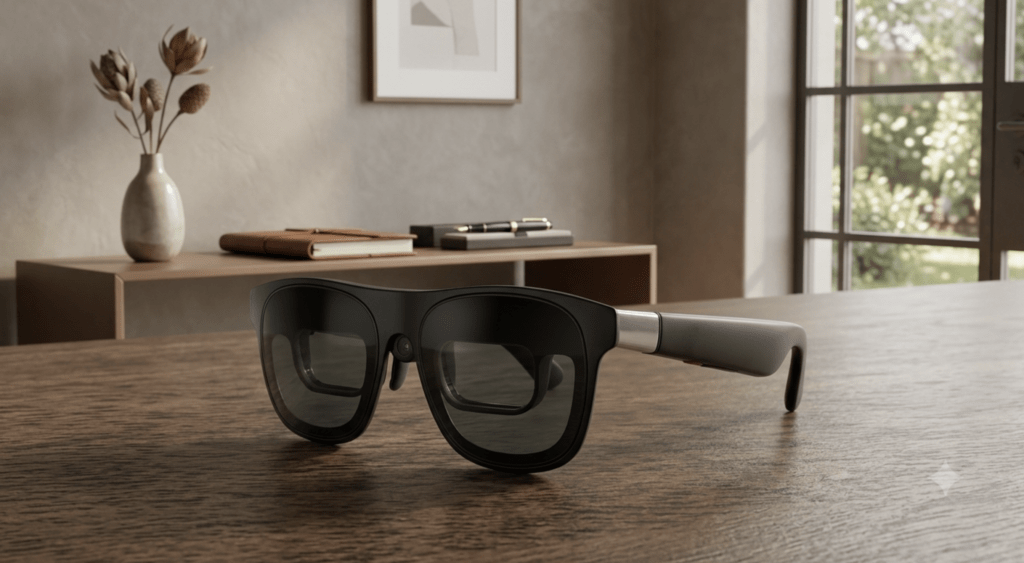 Birdbath opticsThe bright rectangle inside the lens is the combiner: it reflects the panel’s image toward your pupil while you still see the room through it.
Dimming lensDark, sometimes electrochromic, so the projected image keeps its contrast in daylight.
SensorTracks how your head moves so the virtual screen stays pinned in place instead of swimming with you.
Display engineThe bulge behind the hinge holds the micro-OLED panel and driver board — why these frames are thicker than normal ones.
TetherOne USB-C cable carries video and power from a laptop, phone, console or handheld. No host device, no picture.
Birdbath opticsThe bright rectangle inside the lens is the combiner: it reflects the panel’s image toward your pupil while you still see the room through it.
Dimming lensDark, sometimes electrochromic, so the projected image keeps its contrast in daylight.
SensorTracks how your head moves so the virtual screen stays pinned in place instead of swimming with you.
Display engineThe bulge behind the hinge holds the micro-OLED panel and driver board — why these frames are thicker than normal ones.
TetherOne USB-C cable carries video and power from a laptop, phone, console or handheld. No host device, no picture.
Tap the markers
AR (Augmented Reality) display glasses are essentially wearable monitors. They add an actual optical display that projects digital images directly into your line of sight.
How they work:
These glasses use micro-OLED screens and optics (like waveguides or “birdbath” lenses) to beam a digital image onto the transparent lenses. You see digital content layered onto the real world — text, video, a massive floating virtual monitor, or gaming interfaces.
Core Features:
- Virtual Monitors: Plug them into a laptop or Steam Deck to get a massive 120-inch floating screen.
- Spatial Computing: Pin multiple apps around your physical room.
- Media Consumption: Lie in bed and watch movies on a private theater screen.
- Prime Examples: XREAL One Pro, VITURE Beast, RayNeo Air 4 Pro.
Best for: Gamers, remote workers needing multiple screens while traveling, and anyone who wants a massive private display in a portable package.